 Kai
MCP servers
Adding tool servers from the library or by hand, authentication, credentials and permissions.
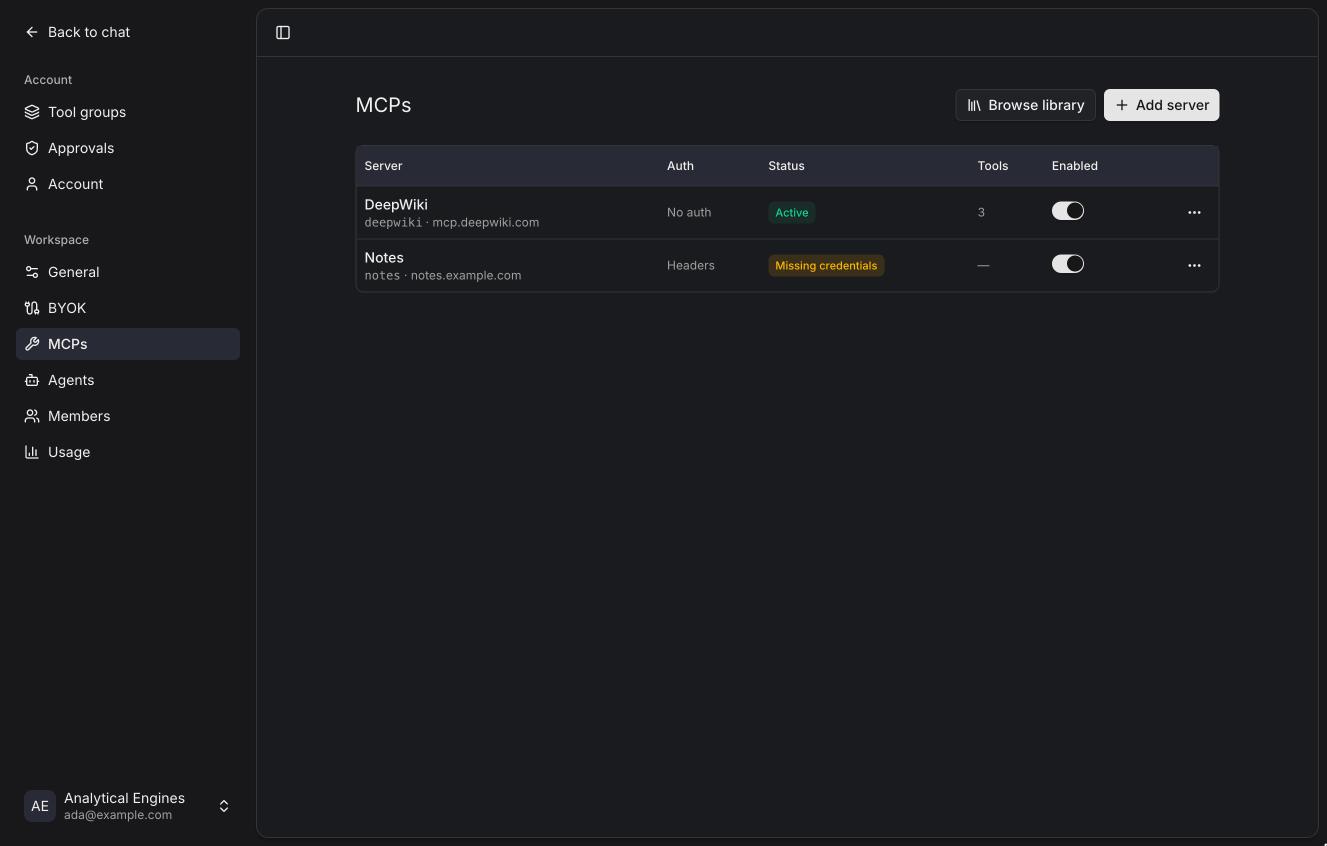
Kai's tools come from MCP servers. Settings → MCPs is the one page for them: every member sees the workspace's servers and their own status there, signs in and fills in their own values; owners and admins also add, edit and delete servers, set shared credentials and decide what needs approval.
From the library
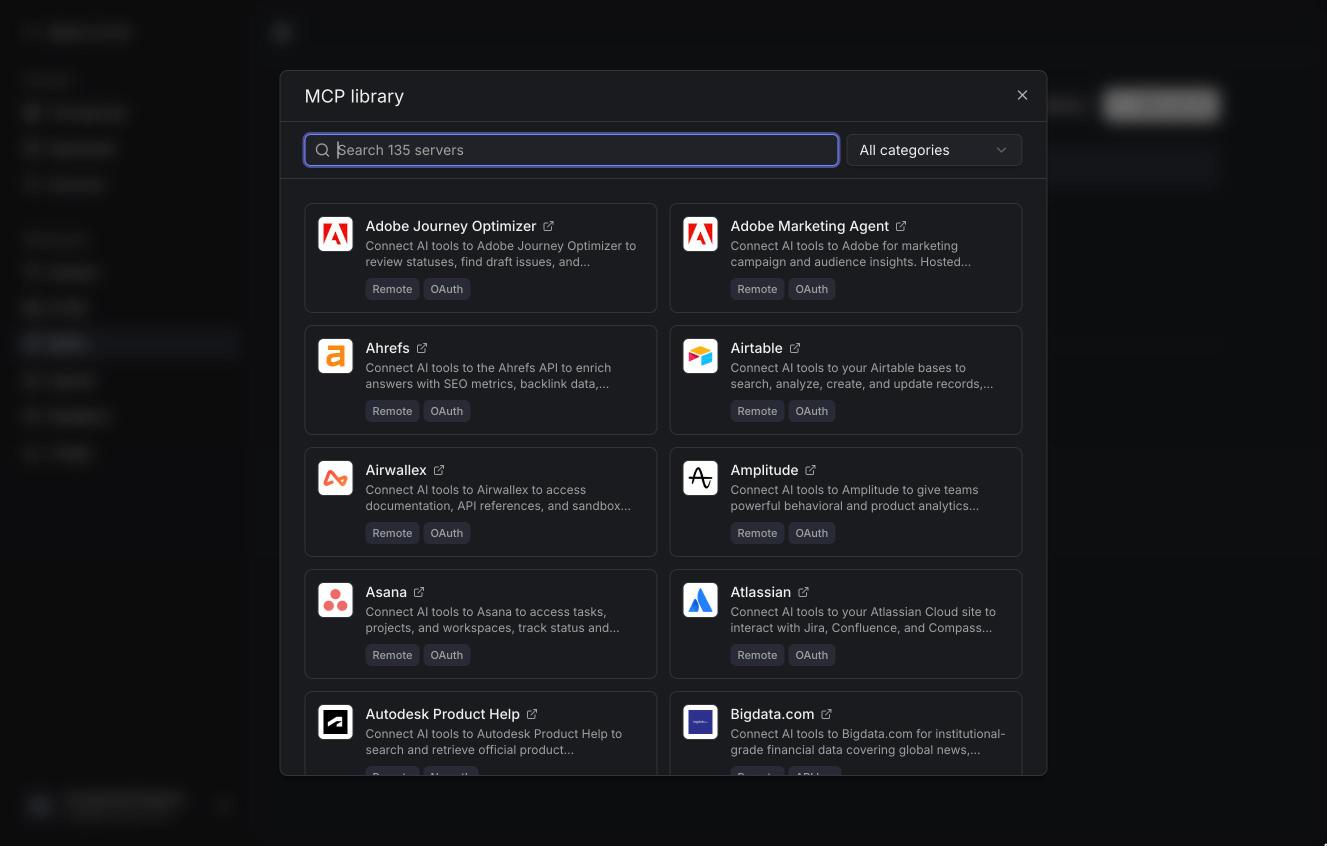
Browse library lists over a hundred ready-made servers: GitHub, Linear, Notion, Figma, Sentry, Stripe and many more. Search, or filter by category. Servers the workspace already has are marked Added.
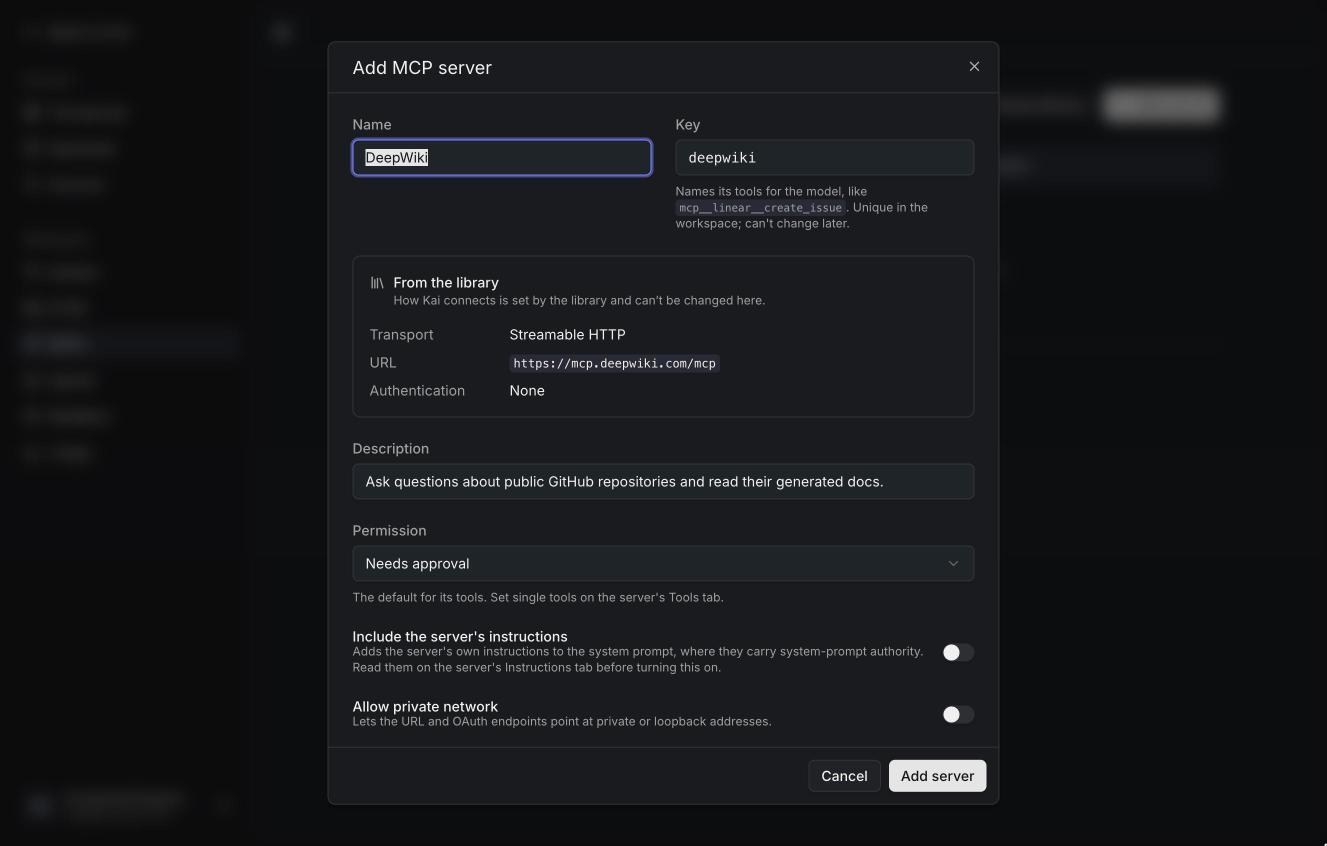
Picking one opens the server form prefilled. How Kai connects (transport, URL, authentication, the headers to fill in) comes from the library and can't be changed while adding; the name, description, credentials and permissions can.
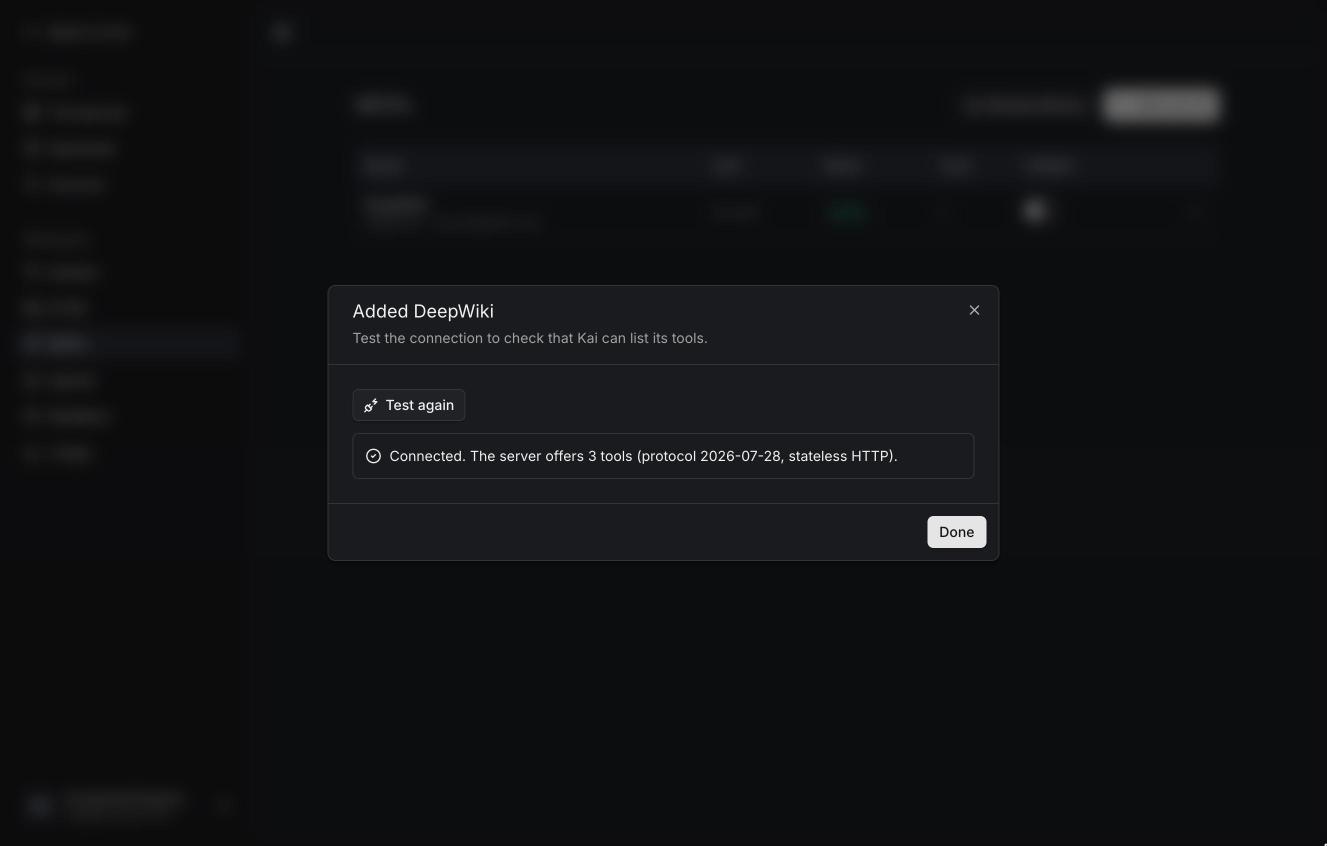
After saving, Kai offers to test the connection, and to sign in or fill in values when the server needs them.
The library is a separate service. If KAI_LIBRARY_URL isn't set, the button
says the library isn't set up.
Adding a server by hand
Add server.
| Field | |
|---|---|
| Name, key | The key names the server's tools for the model (mcp__linear__create_issue). It's derived from the name and can't change after saving. |
| Transport | See below. |
| URL | The server's MCP endpoint. |
| Description | Shown in Kai only. |
| Authentication | See below. |
| Permission | The default for its tools: Needs approval, Allow or Deny. |
| Include the server's instructions | Adds the instructions the server sends to the system prompt. Off by default: they carry system-prompt authority, so read them on the server's Instructions tab first. |
| Allow private network | Lets the URL (and OAuth endpoints) be private or loopback addresses. Only offered when the instance allows it. |
Transports
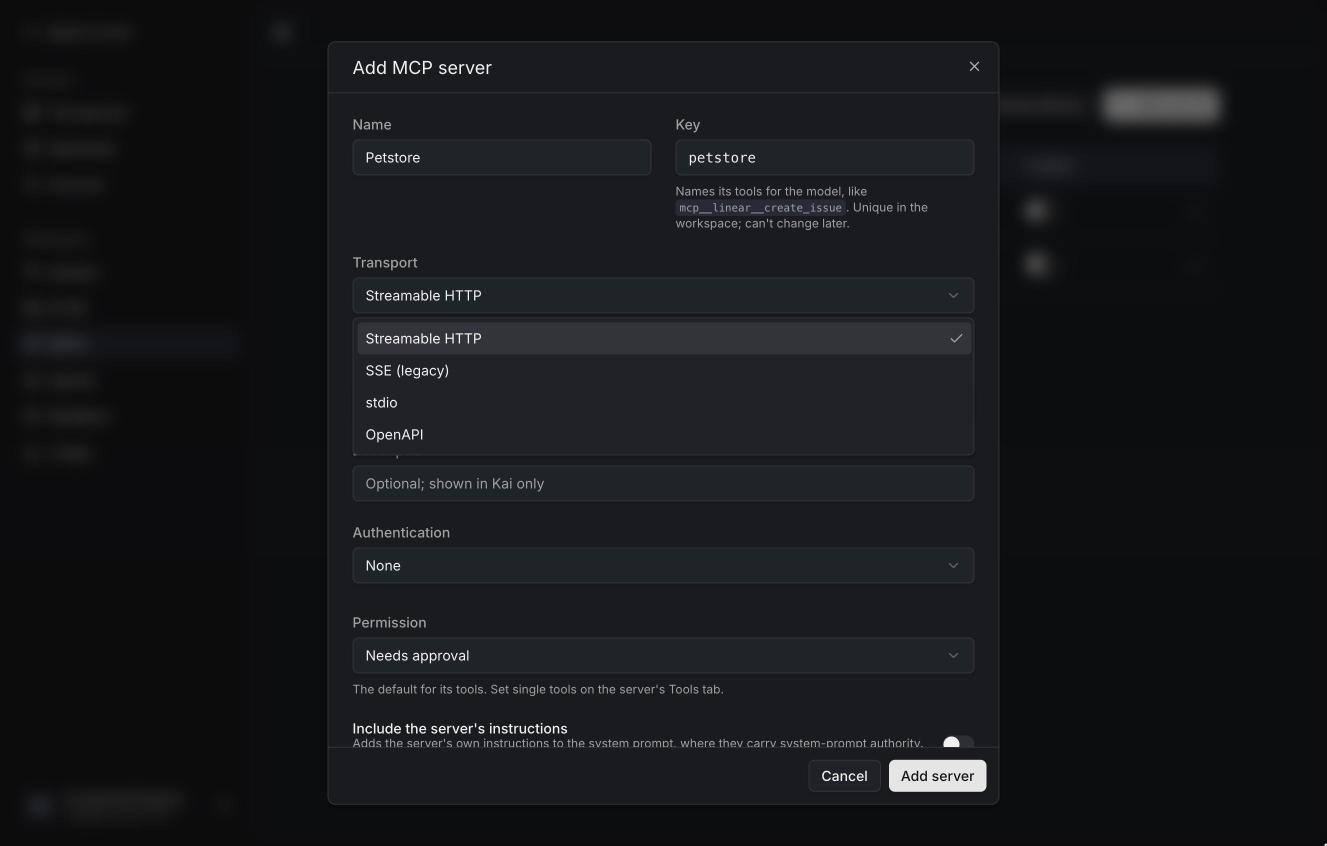
| Transport | |
|---|---|
| Streamable HTTP | The standard for remote servers. Kai supports the stateless 2026 revision and the earlier session-based ones. |
| SSE (legacy) | Older servers that still use HTTP + server-sent events. Kai doesn't fall back to it on its own: pick it for those servers. |
| stdio | A command Kai starts on its own host. Only when the instance allows it (KAI_ALLOW_STDIO_MCP). See Local commands. |
| OpenAPI | An HTTP API described by an OpenAPI document. Each operation becomes a tool. See OpenAPI servers. |
Authentication
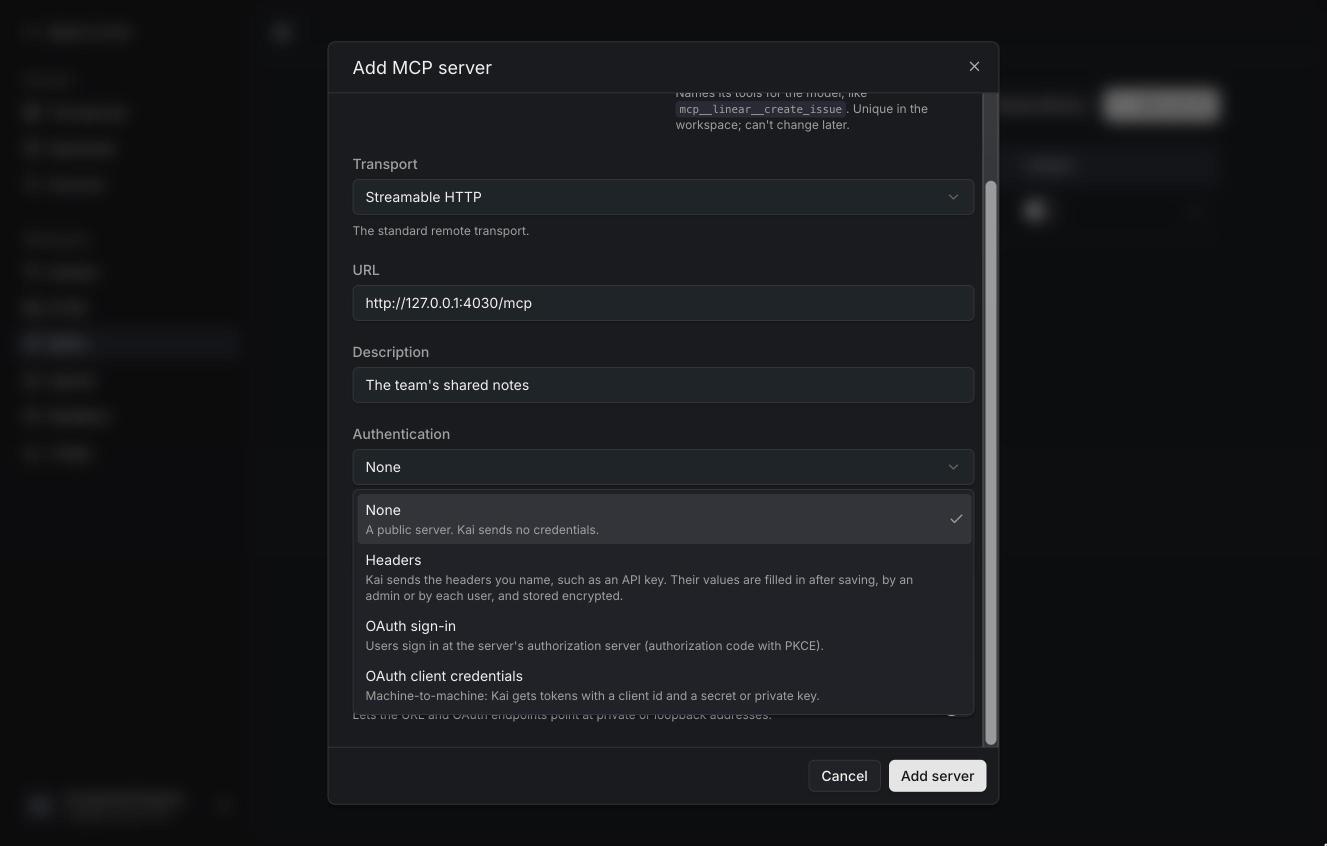
| Mode | |
|---|---|
| None | A public server. |
| Headers | Kai sends headers you name, like Authorization or X-Api-Key. The values are filled in after saving. |
| OAuth sign-in | People sign in at the server's authorization server (authorization code with PKCE). |
| OAuth client credentials | Machine to machine: Kai gets tokens with a client id and a secret or a private key. Always shared by the workspace. |
Credentials: shared or per person
For headers and OAuth sign-in, choose who provides the credentials:
- Each user fills in their own values / Each user signs in. Every person uses their own account at the server; until they do, the server shows Missing credentials or Needs auth for them.
- Shared values / One shared account. An admin sets them once, and everyone in the workspace uses them. With OAuth this means everyone acts as one account at the server; Kai warns about that.
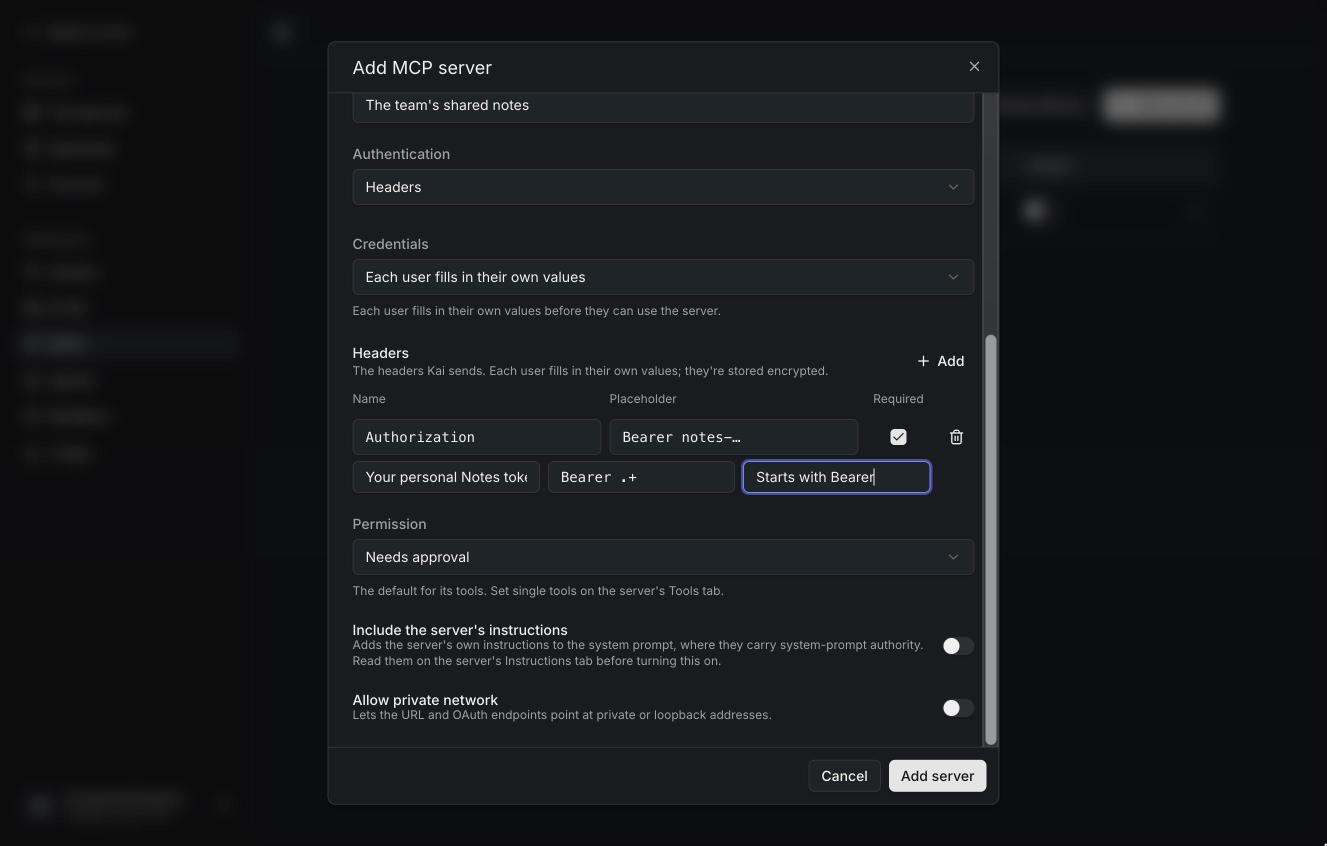
Headers
Name each header, with a placeholder, a description and whether it's required.
A format (a regular expression like Bearer .+) and its message catch
mistakes before they reach the server.
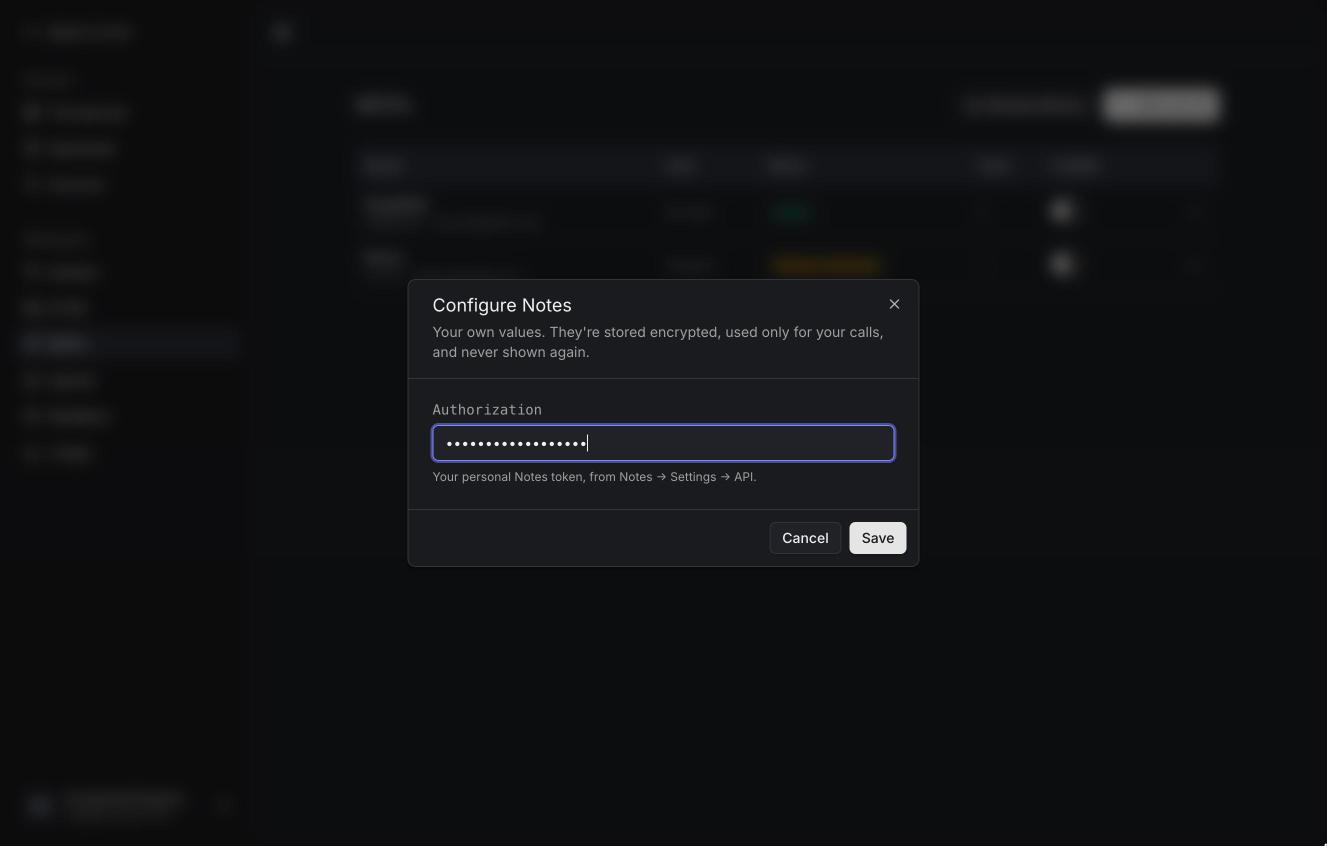
People then fill them in from the server's menu (Configure values), or the chat's tools menu. Values are encrypted, used only for that person's calls (or everyone's, when shared), and never shown again.
Values (and stdio arguments) may contain placeholders:
| Placeholder | Becomes |
|---|---|
{{kai.user_id}} | The person's user id |
{{kai.user_email}} | Their email address |
{{kai.organization_id}} | The workspace id |
{{kai.env.KAI_ENV_<NAME>}} | The instance's environment variable KAI_ENV_<NAME> |
Only variables whose names start with KAI_ENV_ can be read, and the full name
is used: {{kai.env.KAI_ENV_GITHUB_TOKEN}}. That keeps Kai's own secrets out
of reach.
OAuth
Kai discovers the authorization server from the MCP server (protected
resource metadata), registers itself, and sends people through the usual
consent page in a popup. It supports dynamic client registration and client
ID metadata documents (Kai's is served at /api/mcp/oauth/client-metadata.json);
for servers that need a pre-registered client, enter its client id and
secret. Advanced has the pinned issuer, scopes, the resource parameter,
the token endpoint's authentication method (including private_key_jwt) and
extra authorization parameters.
The redirect URI to register is <KAI_APP_URL>/api/mcp/oauth/callback.
Permissions
Each server's Tools tab lists its tools, grouped as read, write and other tools by what the server says about them. Set a permission for all tools, a group, or a single tool:
- Needs approval (shield) — Kai asks before each call, unless the person chose to always allow it.
- Allow (check) — runs without asking.
- Deny (circle) — the model never sees the tool.
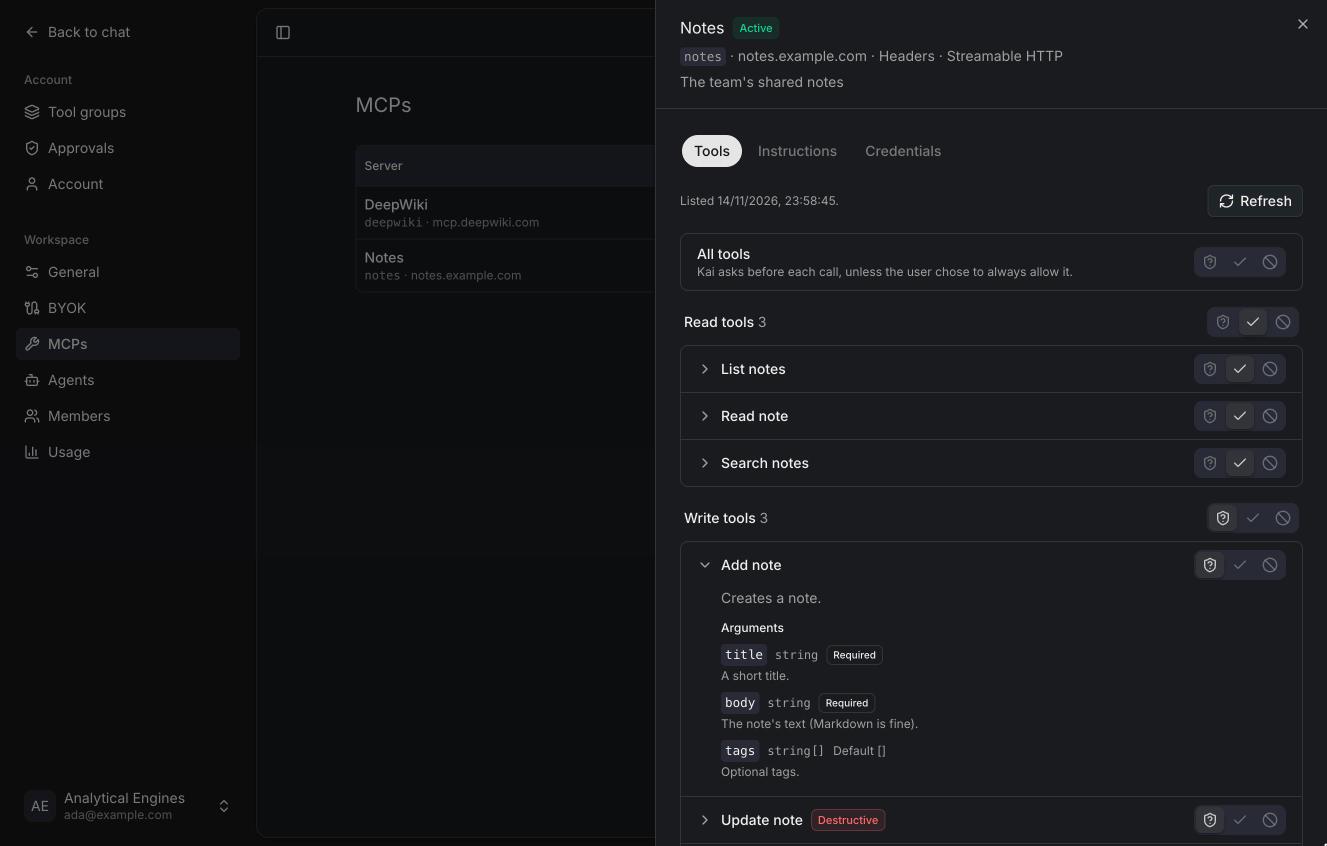
Open a tool to read its description and arguments. Tools the server marks as destructive are labelled.
Status
| Status | Meaning |
|---|---|
| Active | Kai listed its tools. |
| Needs auth | OAuth sign-in needed (for this person, or the shared account). |
| Missing credentials | Required values aren't filled in. |
| Error | Kai couldn't connect; the message says why. |
| Disabled | Turned off with the switch. Turning a server off hides it from chats. |
Kai caches each server's tool list for a few minutes. Refresh on the Tools tab asks again. Changing how Kai connects (URL, transport, authentication, headers) signs everyone out of the server.
Local commands (stdio)
No sandbox yet
A stdio server is a command that runs on the Kai host, as the Kai user, with
network access. Only allow it (KAI_ALLOW_STDIO_MCP=true) where you trust
every workspace admin.
- Command and arguments. The executable and its arguments, one per line. Arguments may use the placeholders above.
- Environment. Variables each person (or the workspace) fills in, like
headers. The process gets these and a minimal environment (
PATH,HOME), never Kai's own. - Kai keeps one process per person (or one for shared credentials) and stops it after ten idle minutes.
Library entries for local servers (like GitHub (Local) or Filesystem) can only be added when stdio is allowed.