Kai
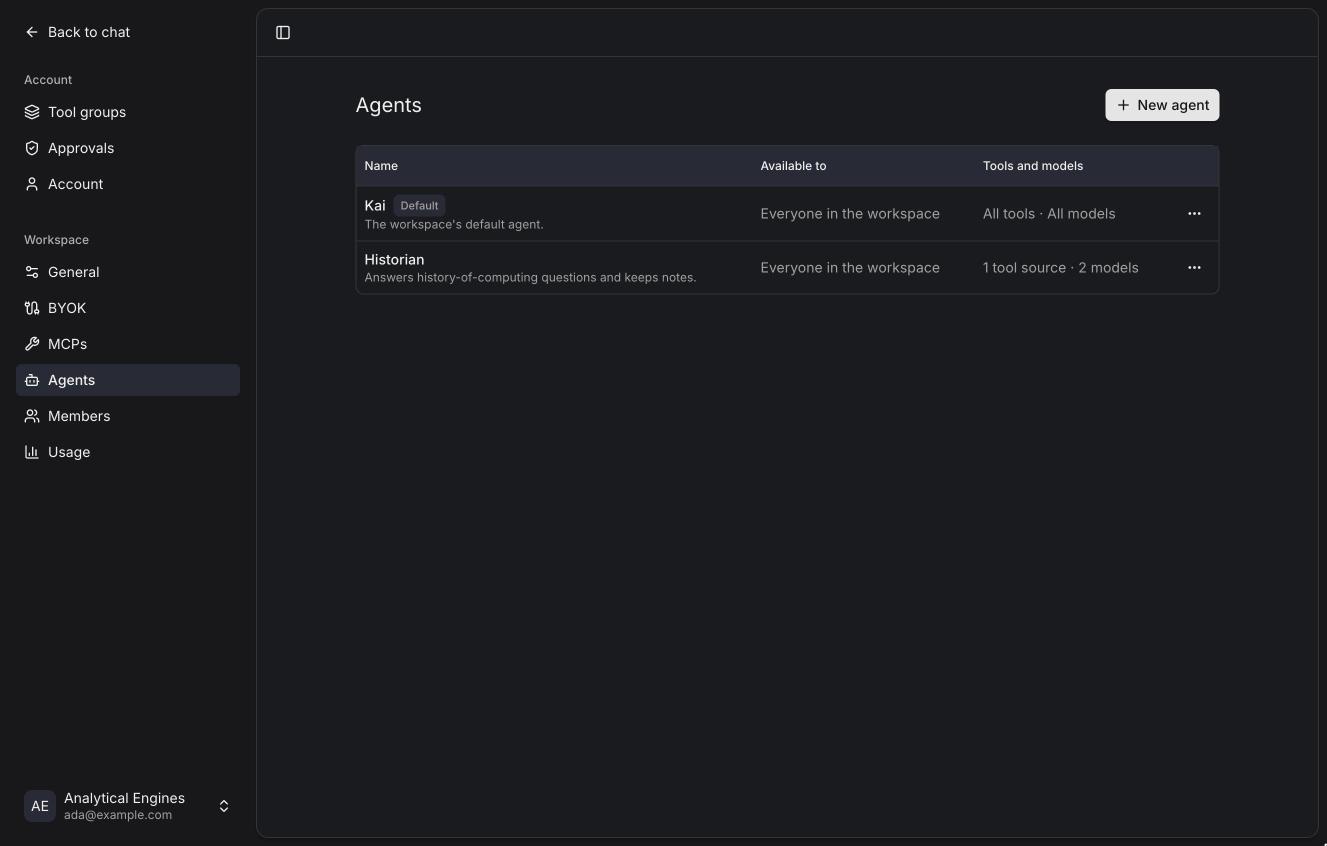
Agents
Instructions, tools and models a chat starts with.
An agent is what a chat runs with: its instructions, and optionally which tools and models it may use. Pick one from the composer before you send the first message; the chat keeps it.
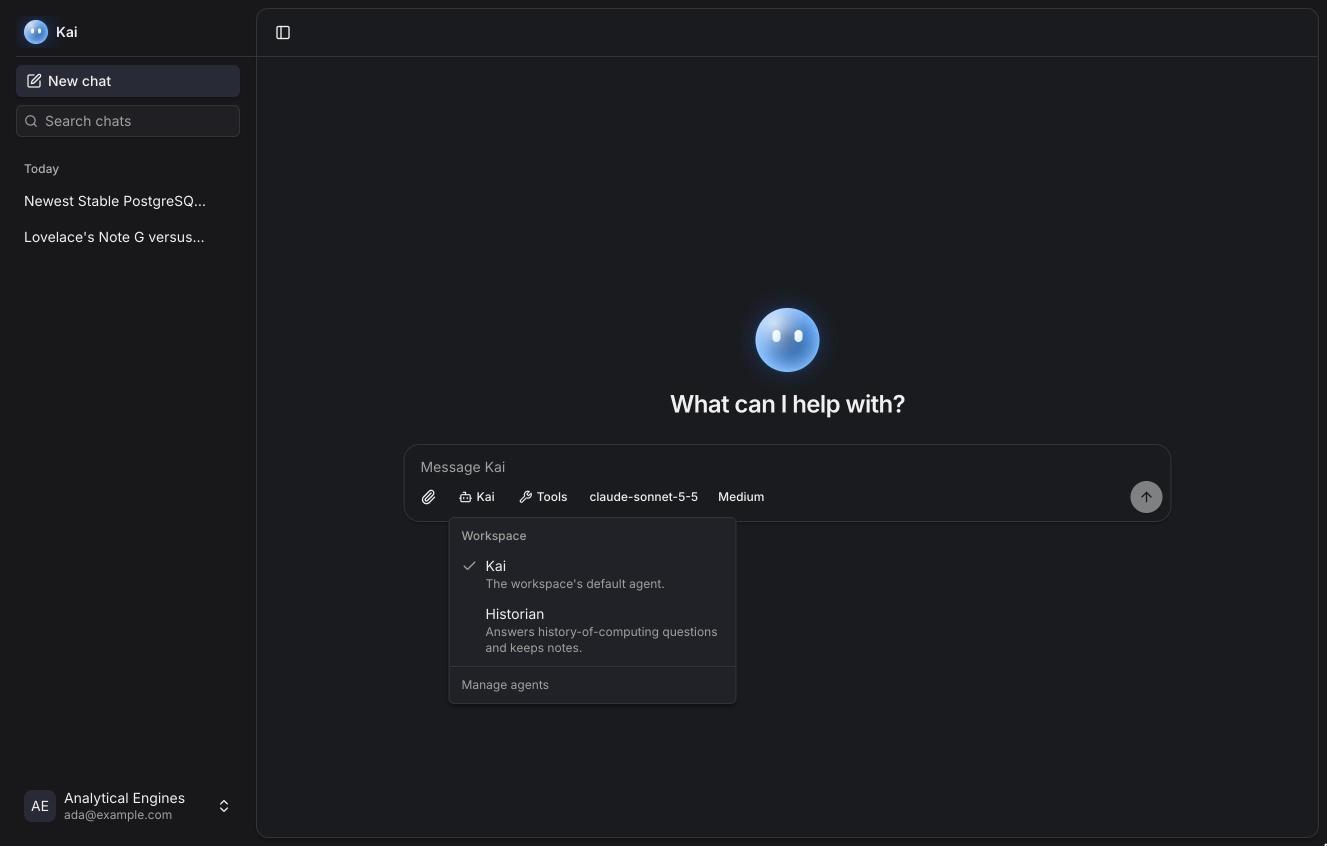
Every workspace has a default agent called Kai, which uses Kai's own instructions and every tool and model. Admins can edit it (for example to add workspace-wide instructions) but not delete it.
Creating an agent
Settings → Agents → New agent.
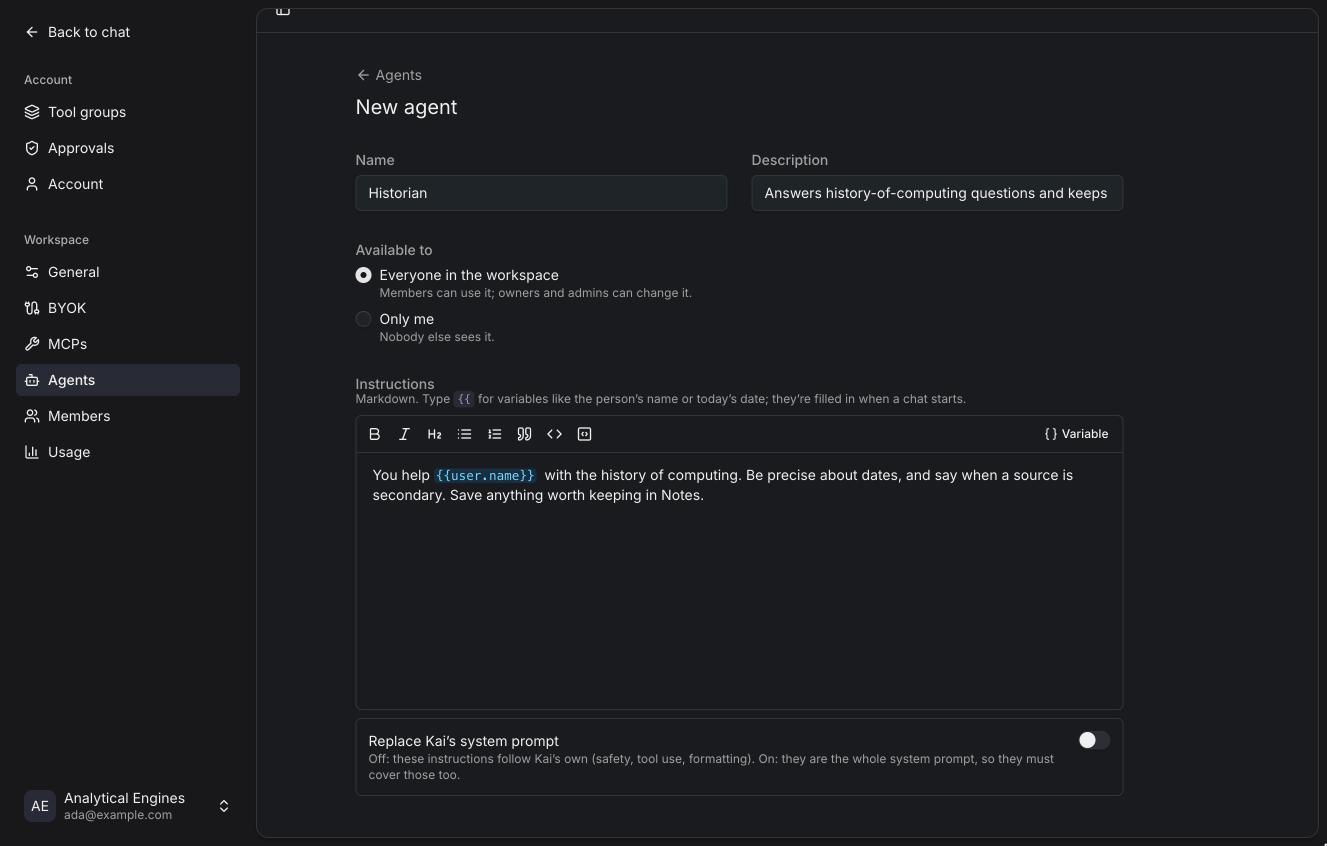
- Name and description. Shown in the agent picker.
- Available to. Everyone in the workspace (owners and admins can change
it, members can use it) or Only me (nobody else sees it). Members can
create their own agents unless the instance turns that off
(
KAI_MEMBER_AGENTS=false). - Instructions. Markdown, with a small editor. They're added after Kai's own instructions.
- Replace Kai's system prompt. Off by default. When on, your instructions are the whole system prompt, so they have to cover what Kai's own cover: safety, tool use and formatting.
Variables
Type {{ in the instructions to insert a variable. Variables are filled in
when a chat starts.
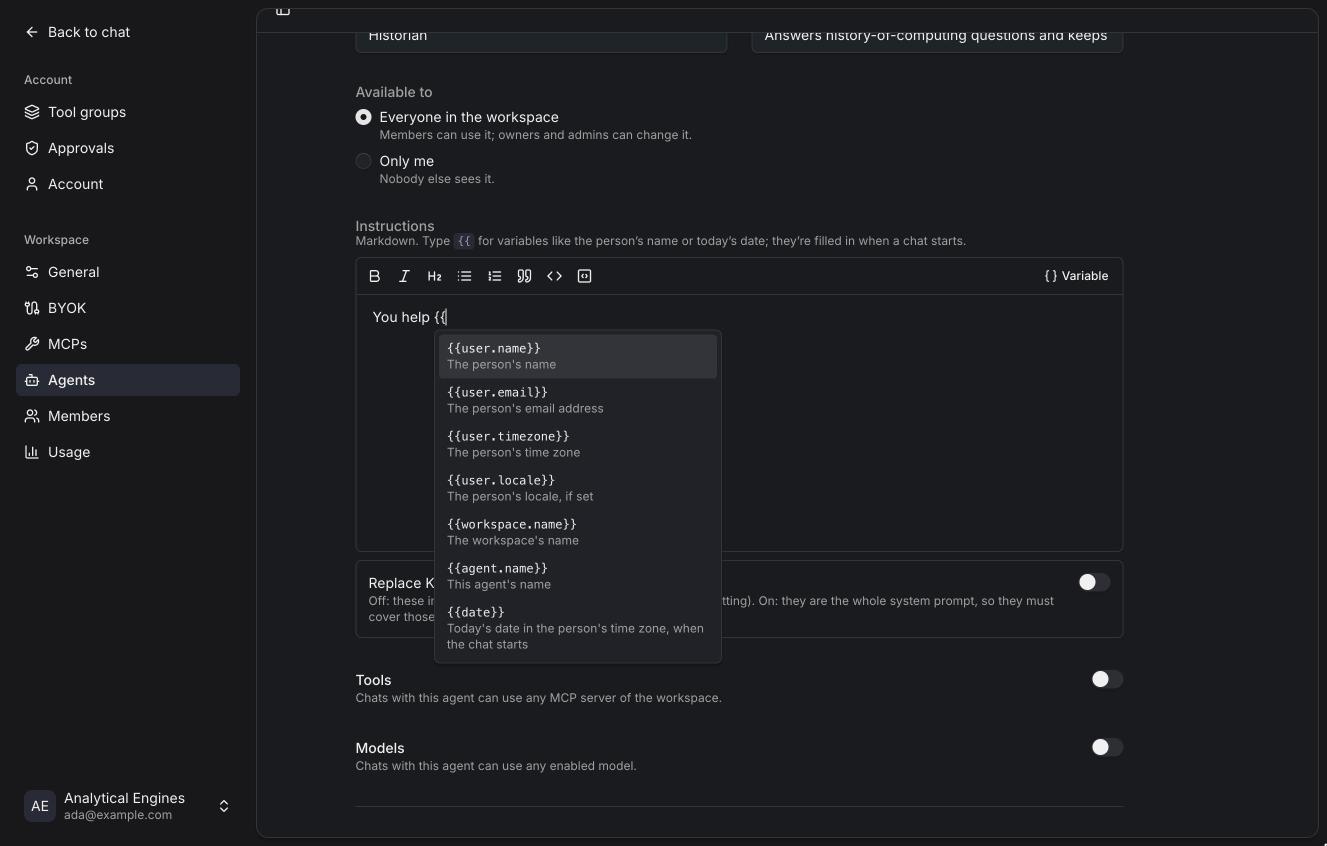
| Variable | Value |
|---|---|
{{user.name}} | The person's name |
{{user.email}} | Their email address |
{{user.timezone}} | Their time zone |
{{user.locale}} | Their locale, if set |
{{workspace.name}} | The workspace's name |
{{agent.name}} | This agent's name |
{{date}} | Today's date in the person's time zone, when the chat starts |
Limiting tools and models
Turn on Tools to limit the chat to some tool groups, servers, or single tools of a server. Turn on Models to limit which models the chat may pick; the first one is used when the person hasn't picked another.
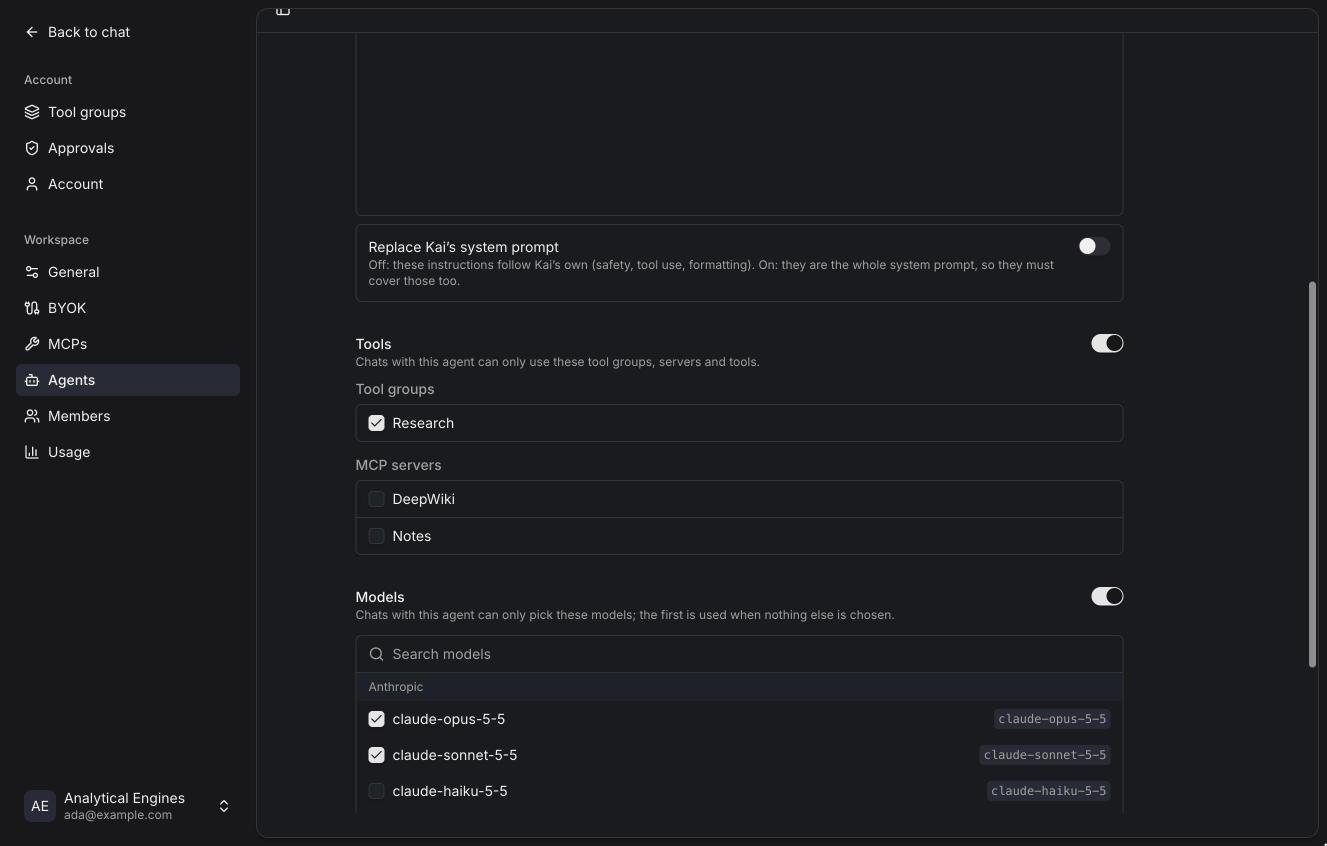
The limits are enforced on the server too: a chat can't call a tool or use a model its agent doesn't allow.
When an agent changes
Changing an agent's instructions or limits applies to new chats, and to existing chats at their next segment, when the model, tools or summary change anyway. Within a running stretch of a conversation the instructions stay the same, so the provider's prompt cache keeps working. If an agent is deleted, its chats fall back to the default agent.