 Kai
Tools and approvals
Turning tools on in a chat, approving calls, and the choices Kai remembers.
Models use tools from the MCP servers your workspace has added. You decide, per chat, which servers the model may use, and Kai asks before a tool runs unless the workspace allows it.
Turning tools on
Open Tools in the composer and switch servers or tool groups on. Each server shows its status:
| Status | Meaning |
|---|---|
| Connected | Kai listed its tools with your credentials. |
| Needs auth | The server uses OAuth and you haven't signed in yet. Connect opens the sign-in. |
| Missing credentials | The server needs values from you (an API key, say). Configure takes you there. |
| Error | Kai couldn't reach it. The message says why. |
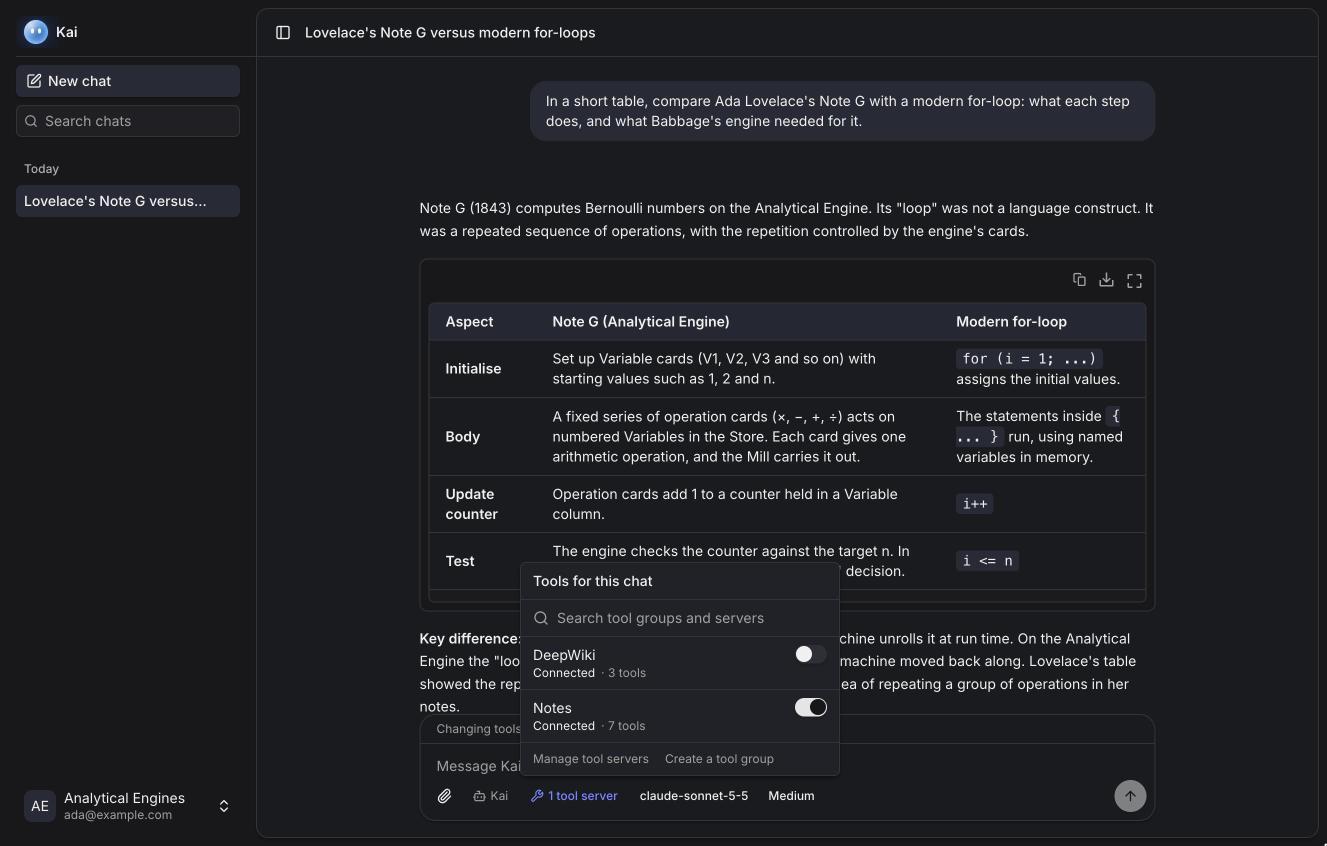
The chat remembers its tools, and a new chat starts with the tools you used last.
Approving a call
When the model calls a tool that needs approval, the run pauses and the tool card asks. You see the full arguments, as JSON or as a table, and choose:
- Deny. The model is told you declined and carries on without it.
- Allow once. This call only.
- Allow for this chat. This tool, in this conversation.
- Always allow. This tool, in every conversation.
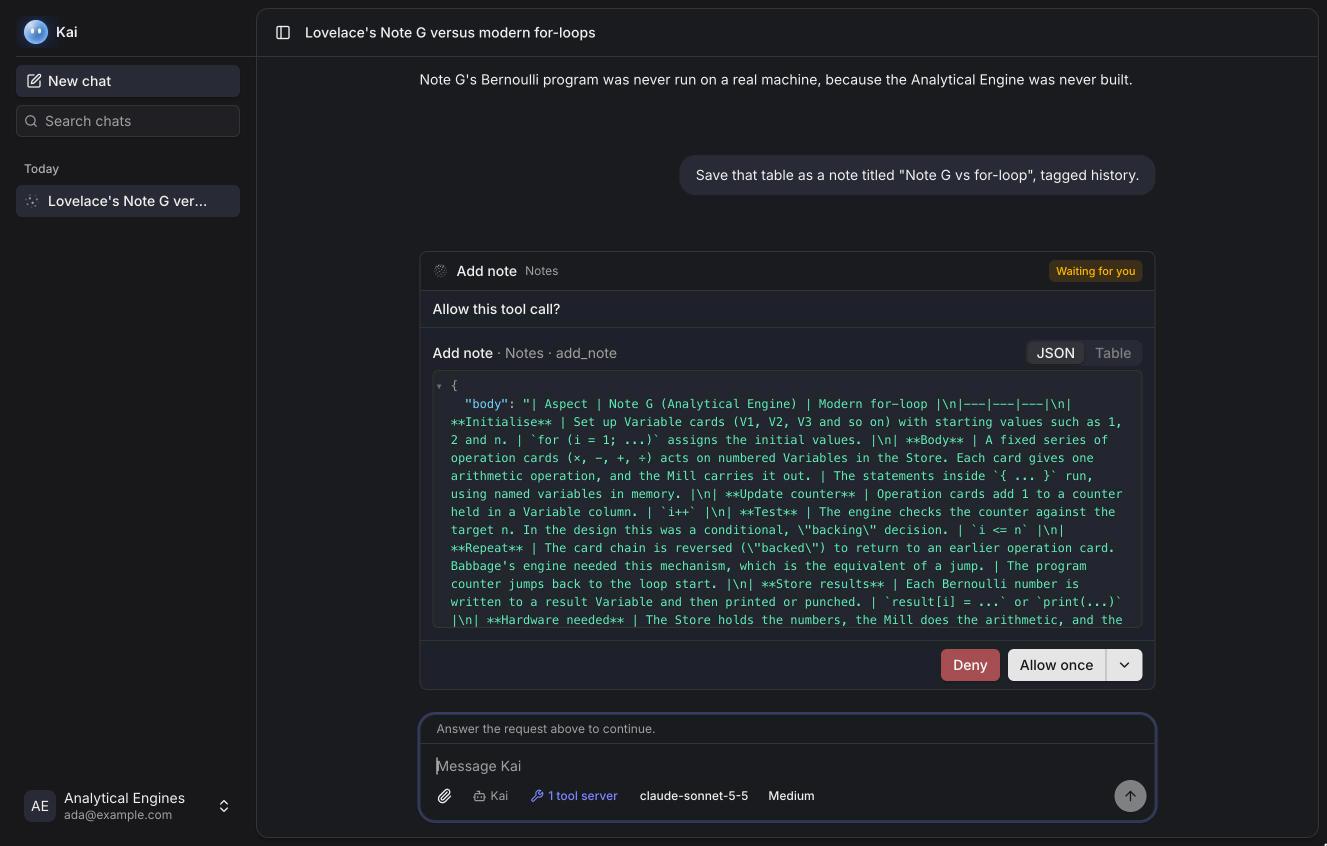
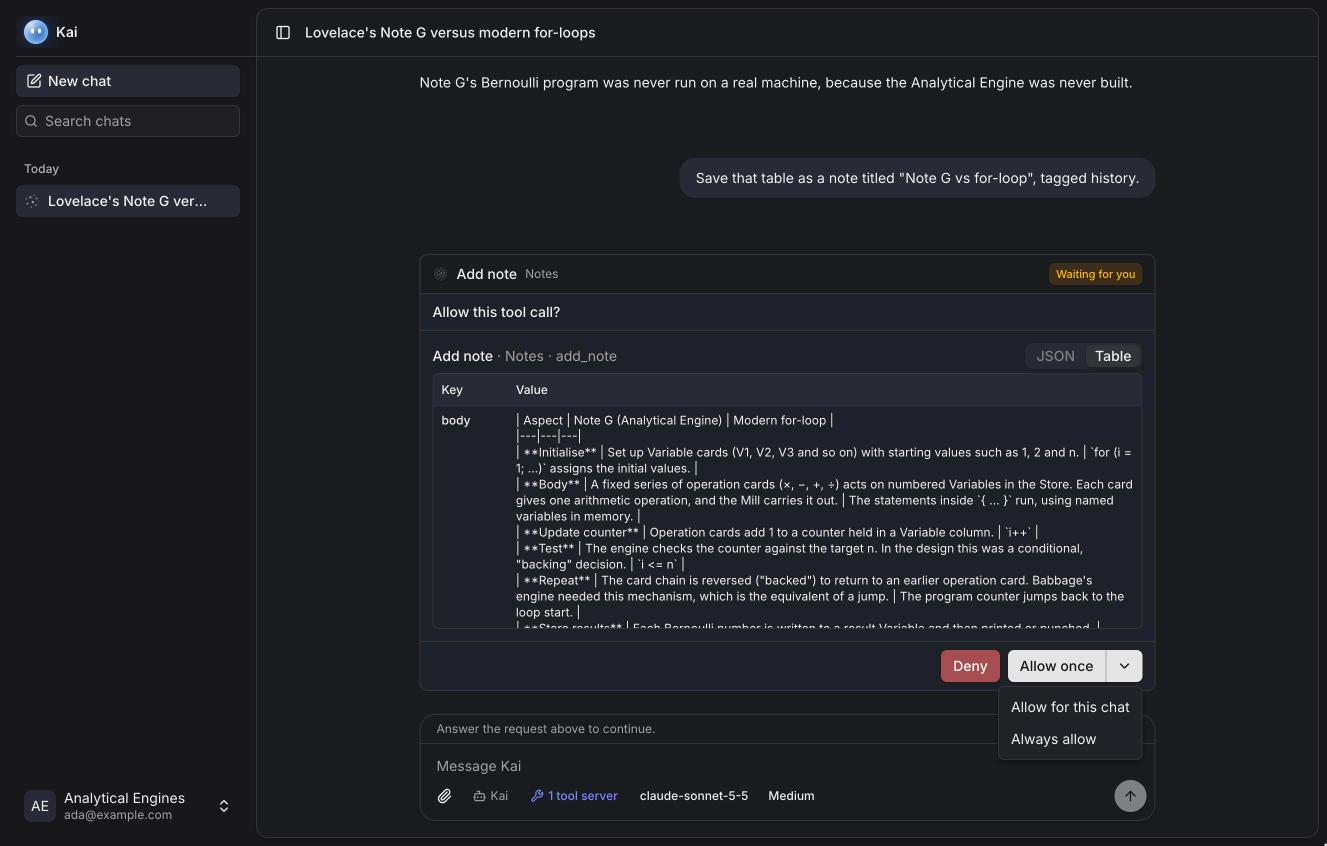
Tools a server marks as destructive (they change or delete data) say so in the approval. If the model calls several tools at once, each card has its own buttons, and the run continues once every call has a decision.
An approval waits for 30 minutes; after that the call is declined and the model is told.
What a call looks like
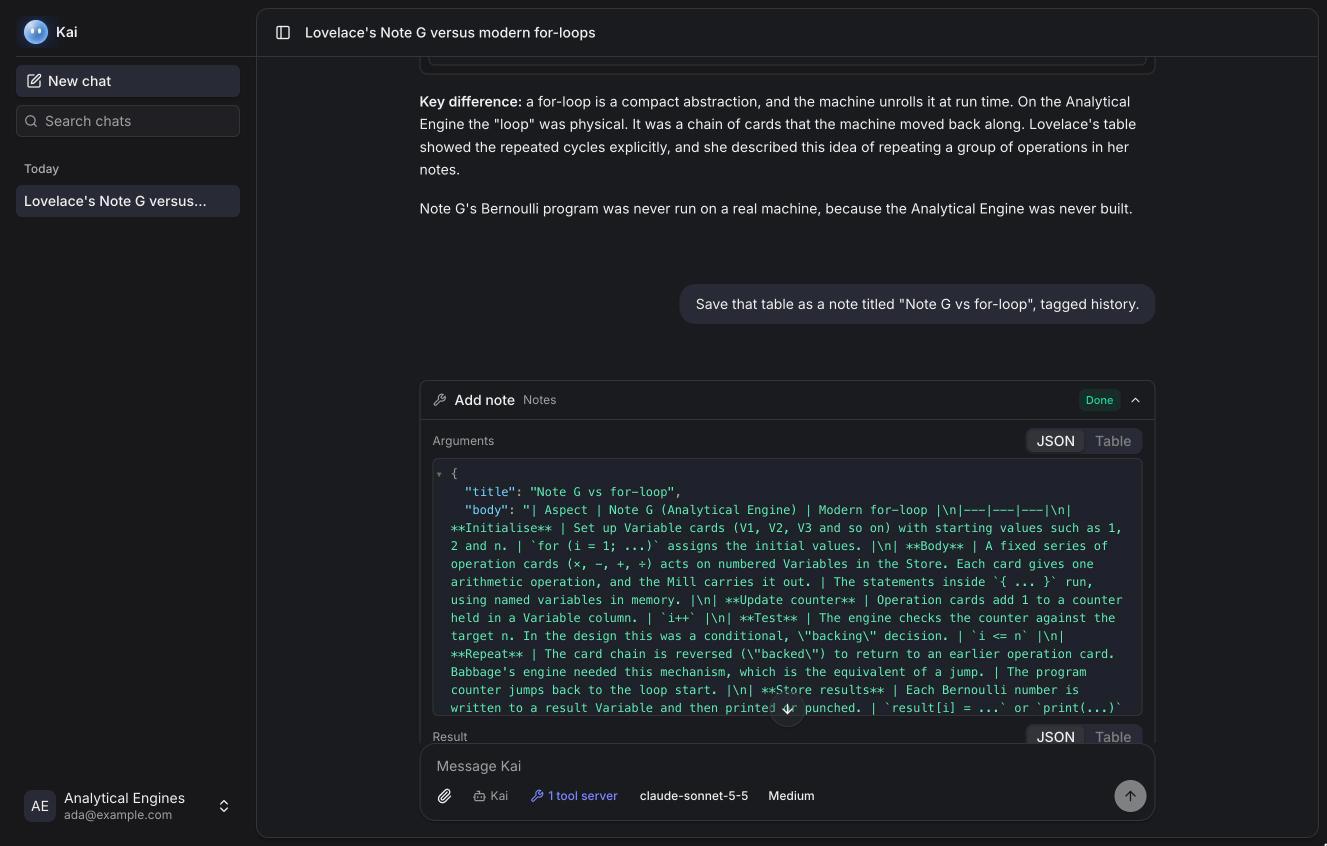
The card shows the tool, its server, its status (running, done, failed, declined) and, when opened, the arguments and the result. Long results are cut for the model; Open full output shows all of it.
Approvals
Settings → Approvals lists the choices you asked Kai to remember, with the tool, its server, where it applies and when you made it. Revoke any of them, and Kai asks again next time.
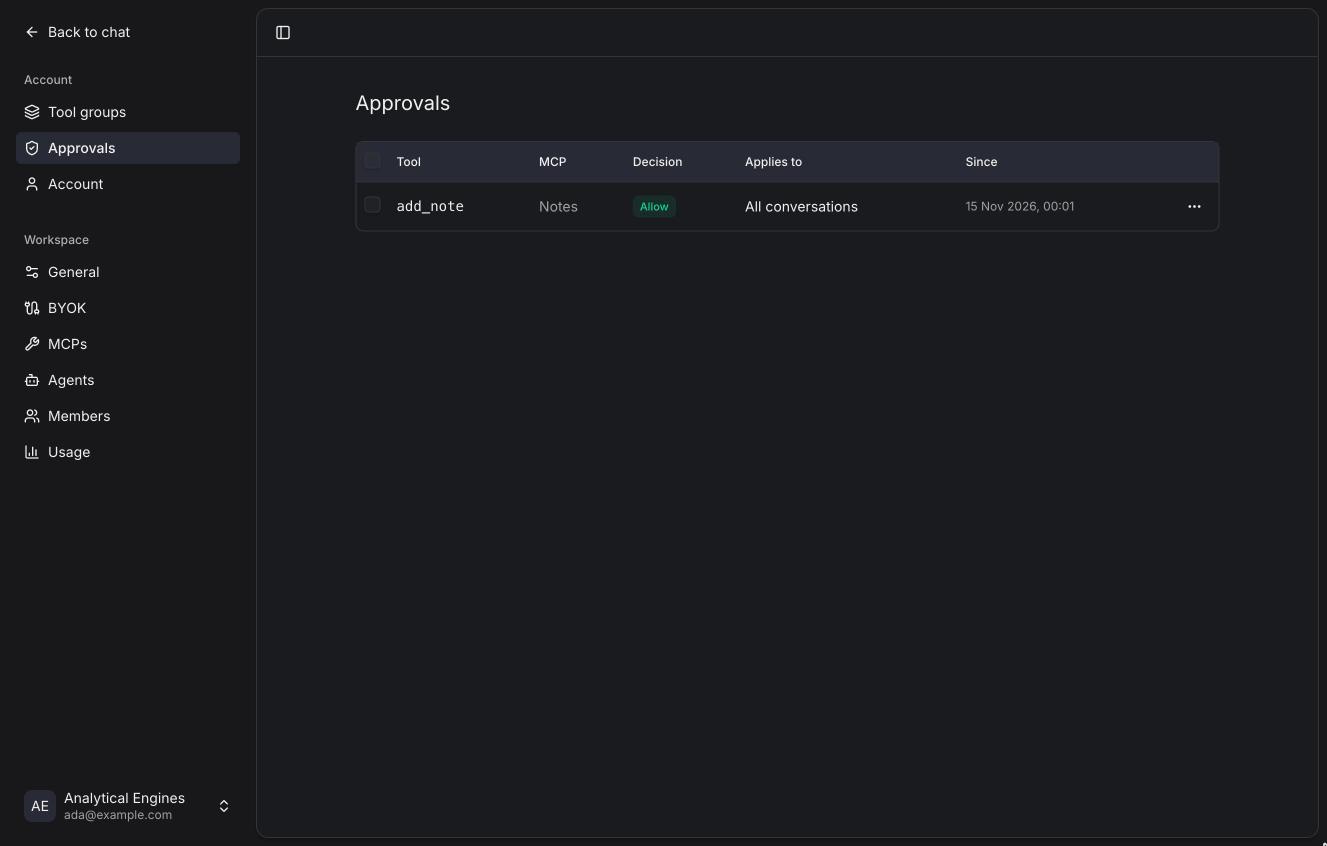
A remembered approval is tied to the tool's definition. If the server changes what the tool does (its description or arguments), Kai asks again.
Who decides
A workspace admin sets each server's permission: Needs approval, Allow (runs without asking) or Deny (the model never sees the tool). Permissions can differ per tool, so reading tools can run freely while writing ones ask. Your remembered choices only apply where the workspace allows them.
Requests from tools
Some MCP servers ask you for something mid-call:
- Sign in. The server needs OAuth and your session expired. Kai opens the sign-in in a popup and continues when you're back.
- A form. The server asks for a few fields (a confirmation, a choice). Kai shows the form; you can submit, decline or cancel.
- A link. The server sends you to a page to finish something (a payment, a consent). Kai shows the link and continues when you say you're done.