 Kai
BYOK
Adding Anthropic and OpenAI keys, gateways, models and their capabilities.
A workspace pays for its own models. Settings → BYOK lists its keys (Kai calls them connections). Owners and admins manage them.
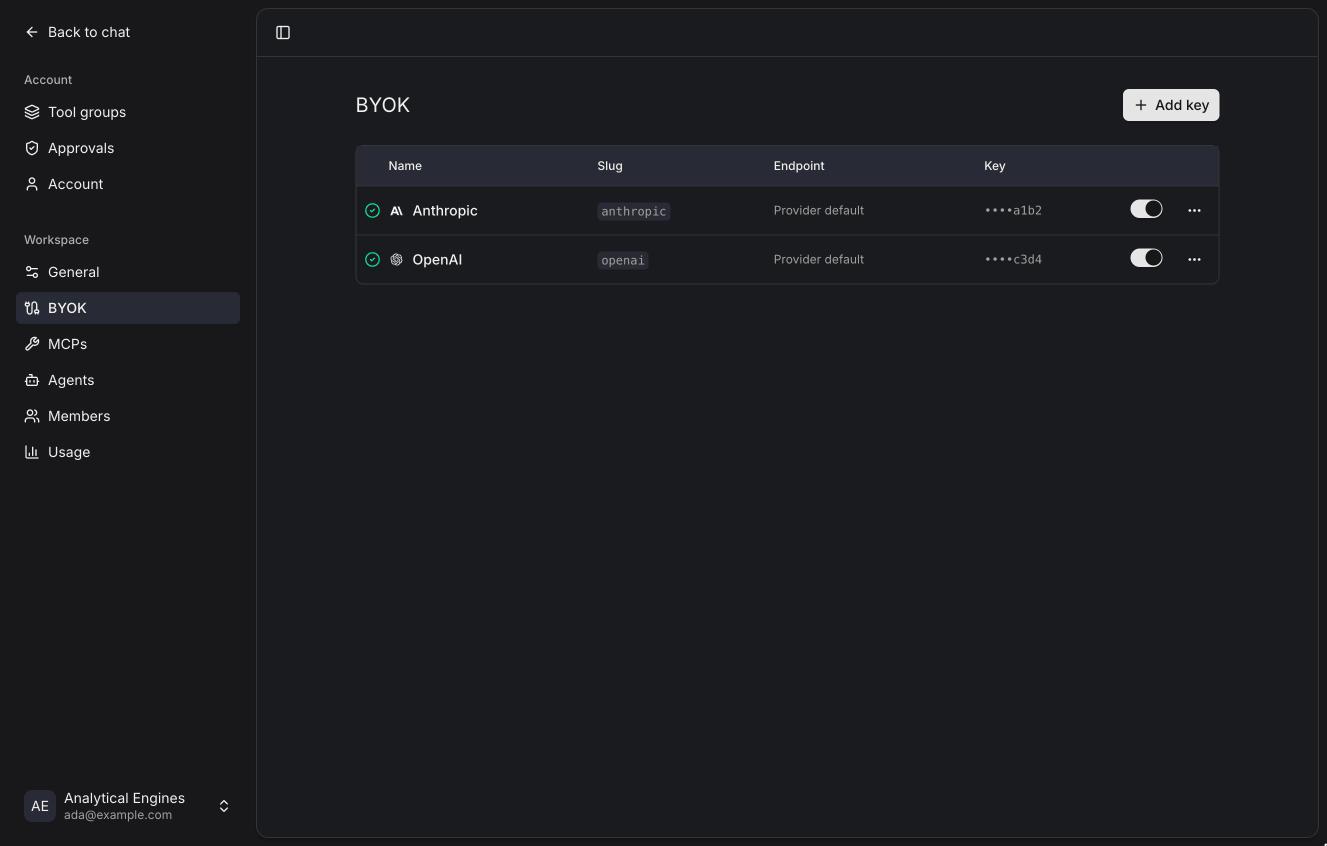
Each row shows whether the key worked the last time Kai listed its models (a check or a cross), the provider, the slug, the endpoint, the last four characters of the key, and an on/off switch. Turning a key on checks it again.
Adding a key
Add key.
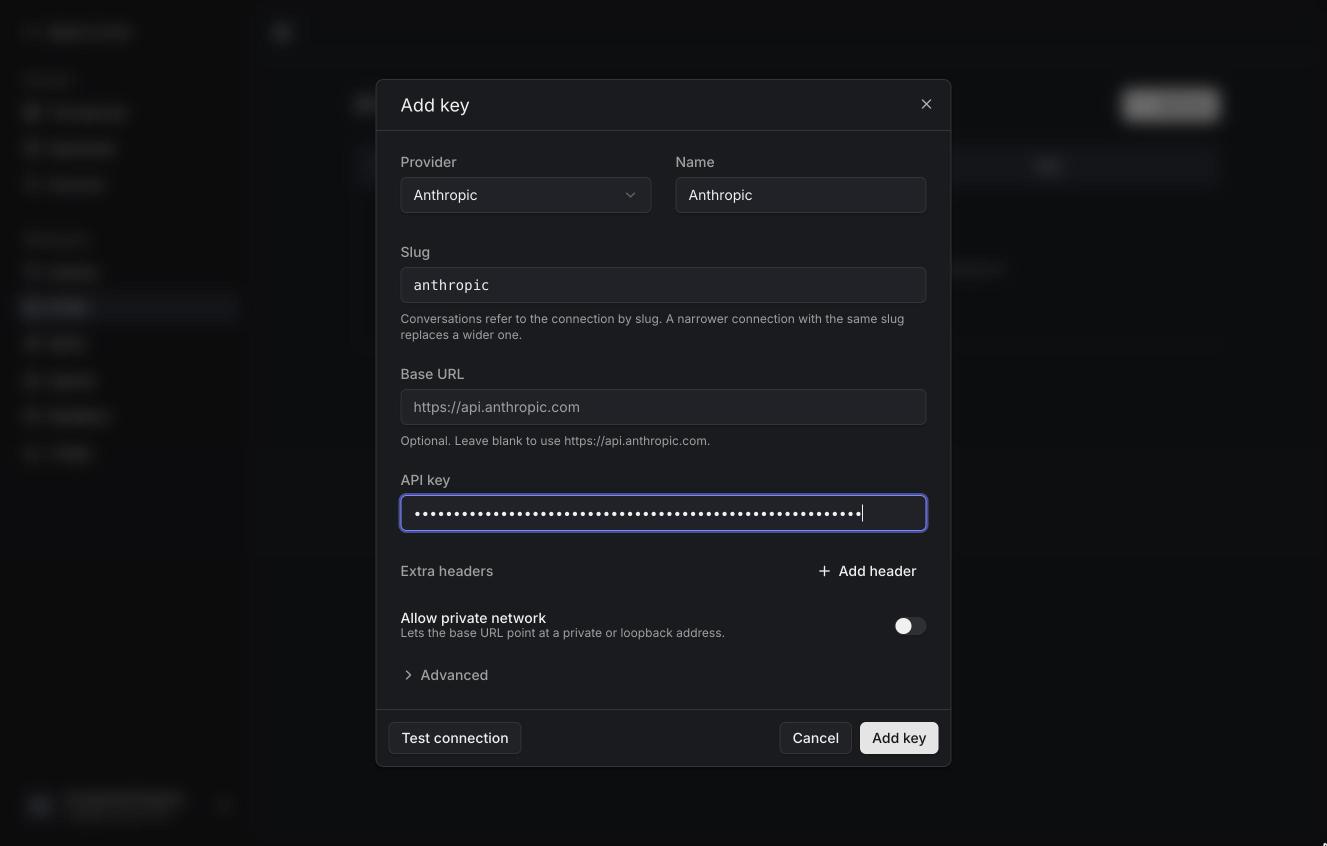
| Field | |
|---|---|
| Provider | Anthropic or OpenAI. A gateway picks the API it speaks. |
| Name | Shown in the model picker. |
| Slug | How conversations refer to this key, like anthropic. It can't change after saving, so a replacement key with the same slug keeps old chats working. |
| Base URL | Leave blank for the provider's own API. Set it for a gateway. |
| API key | Sent as x-api-key to Anthropic and as Authorization: Bearer to OpenAI. Stored encrypted; never shown again. |
| Extra headers | For gateways that want more headers. Stored encrypted. |
| Allow private network | Lets the base URL be a private or loopback address. Only offered when the instance allows it (KAI_ALLOW_PRIVATE_NETWORK). |
Test connection lists the provider's models with what you typed, without saving. On save, Kai lists the models again and switches all of them on.
Changing the base URL requires entering the key again, so a saved key is never sent somewhere new.
Advanced
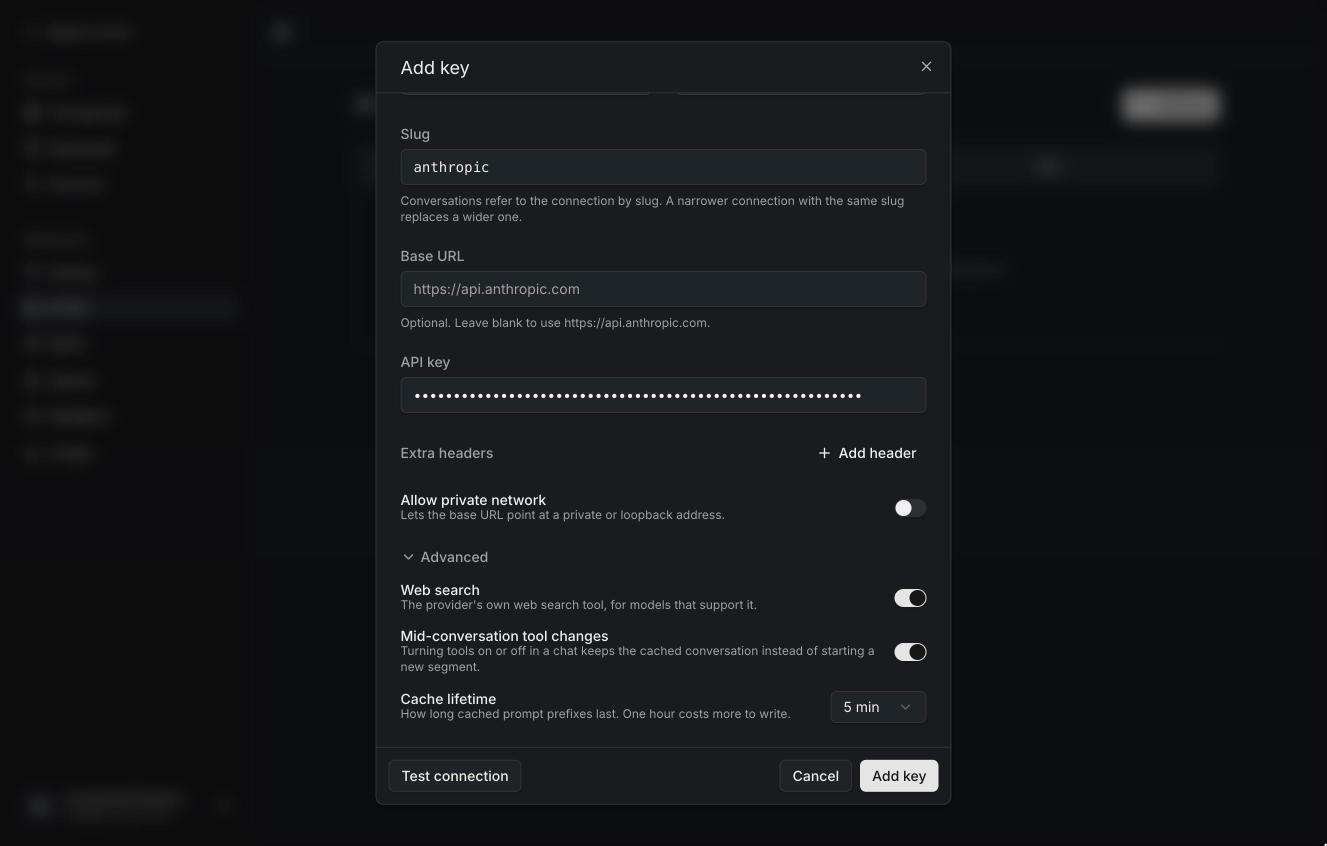
| Setting | Default | |
|---|---|---|
| Web search | On | Lets models use the provider's own web search tool. |
| Mid-conversation tool changes | On (Anthropic) | When someone turns tools on or off in a chat, Kai tells the model in place instead of re-reading the conversation. |
| Cache lifetime | 5 min | Anthropic only. How long cached prompt prefixes last. One hour costs more to write but suits people who pause between messages. |
Kai turns on the rest of what each provider supports on its own: prompt caching, streaming tool input, reasoning summaries, encrypted reasoning, deferred tool loading. If a gateway rejects one of them, Kai turns it off for that key, retries, and lists it in the key's form with a reset button.
Models
Click a key's name (or Models in its menu) to see its models.
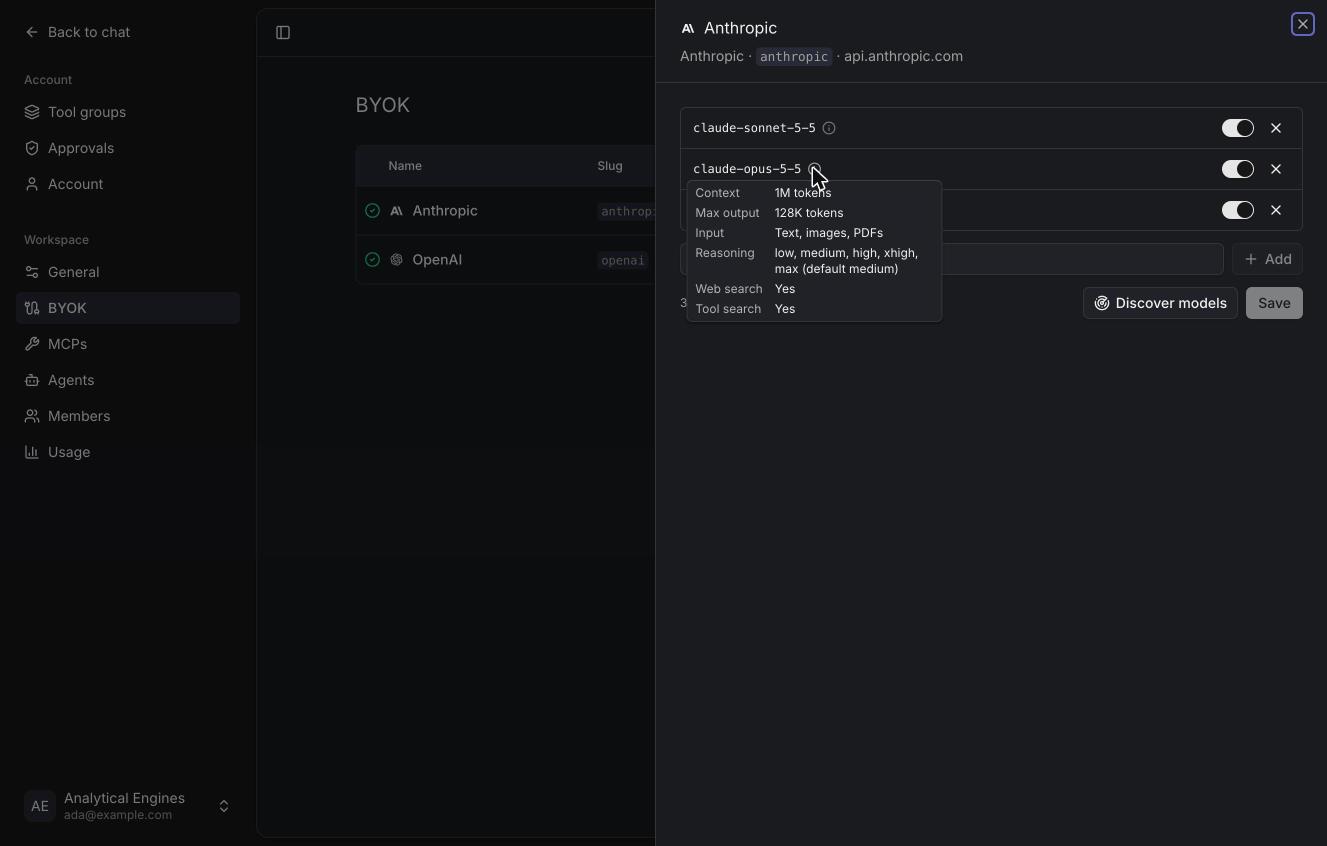
- The switch turns a model on or off for the workspace's model picker.
- The info icon shows what Kai knows about it: context window, output limit, input types, reasoning efforts and default, web search and tool search support.
- × removes it from the list.
- Add models adds an id by hand, for gateways that don't list models.
- Discover models lists the provider's models again and adds new ones (off, once you have models switched on). Models you removed come back.
Where capabilities come from
Providers' model lists say little beyond ids, so Kai reads each model's
capabilities from its library service,
which builds them from public model datasheets and refreshes every few hours.
The lookup uses the provider and the model id, never your slug: a key with
slug work-claude still finds claude-opus-5-5 under Anthropic. A trailing
date (claude-sonnet-4-5-20250929) falls back to the undated model.
Models the library doesn't know (a gateway alias, an Azure deployment name) get the provider's defaults, and the info card says so.
Gateways
To go through LiteLLM, Bifrost, Azure OpenAI or another gateway, set the base URL to the gateway. See Gateways for each one's settings.
Turning a key off or deleting it
Turning a key off hides its models from the picker. Conversations that use them show "model unavailable" until it's back on, or someone picks another model. Deleting a key removes its models and its encrypted secrets. A new key with the same slug brings old conversations back to life.