 Kai
Your account
Profile, time zone and locale, workspaces, sessions, and deleting your account.
Settings → Account.
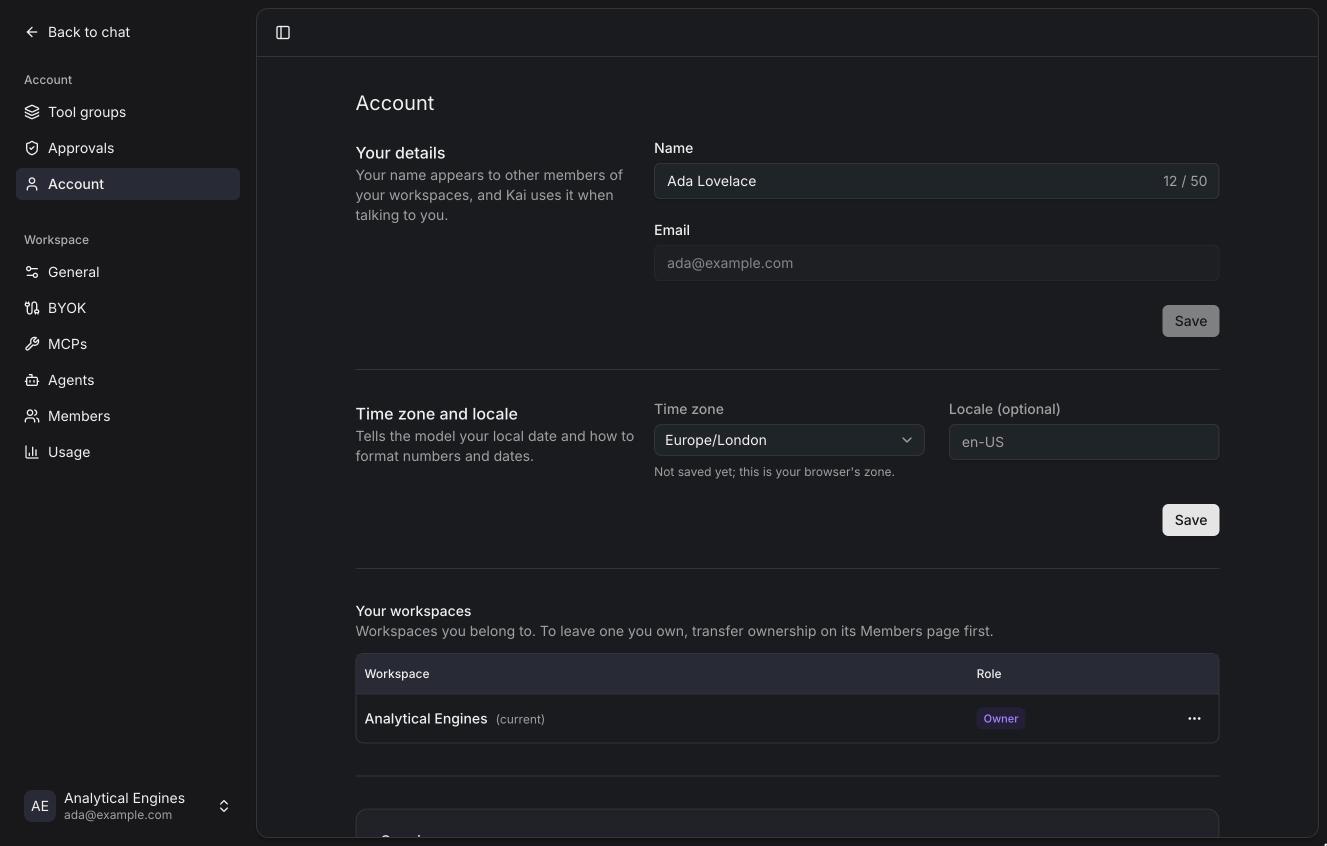
Details
Your name appears to other members and Kai uses it when talking to you (it's
the {{user.name}} variable). Your email
can't be changed here.
Time zone and locale
Kai tells the model your local date, so "tomorrow" means your tomorrow, and
formats numbers and dates your way. Until you save a time zone, Kai uses your
browser's. The locale is optional, like en-GB or de-DE.
A conversation is told the date when it starts, and again when the date changes in your time zone.
Workspaces
Every workspace you belong to, with your role. Switch workspaces from the menu at the bottom of the sidebar, which also has Create workspace (if the instance allows you), Settings, Theme (light, dark or system) and Log out.
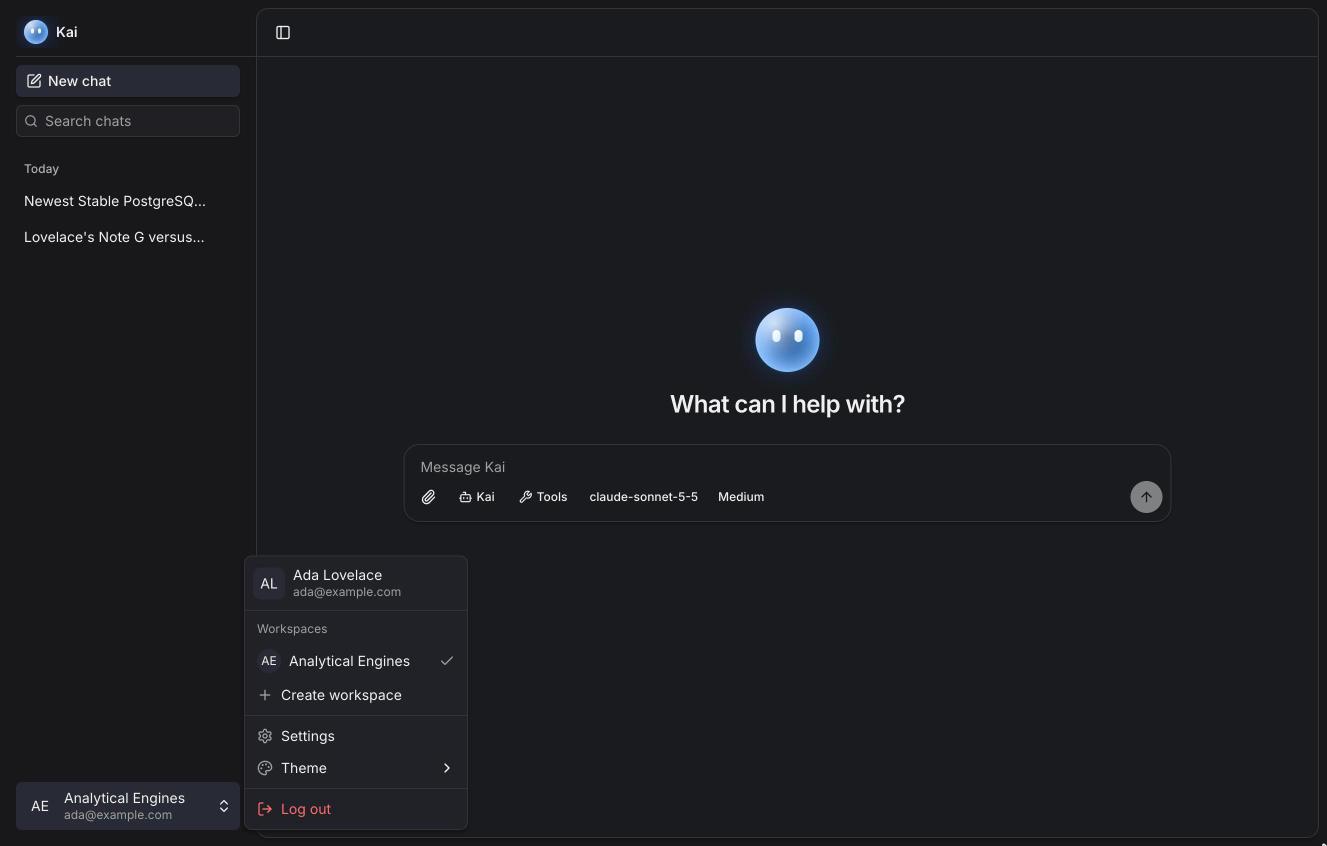
To leave a workspace, use its row menu. You can't leave a workspace you own: transfer ownership first on its Members page.
Sessions
The devices you're signed in on. Sign out of any of them.
Deleting your account
Delete account sends a code to your email; enter it to confirm. Deleting your account:
- deletes your chats, files, tool groups, personal agents and saved credentials;
- deletes workspaces where you're the only member;
- is blocked while you own a workspace that has other members. Transfer ownership first.
There is no undo.